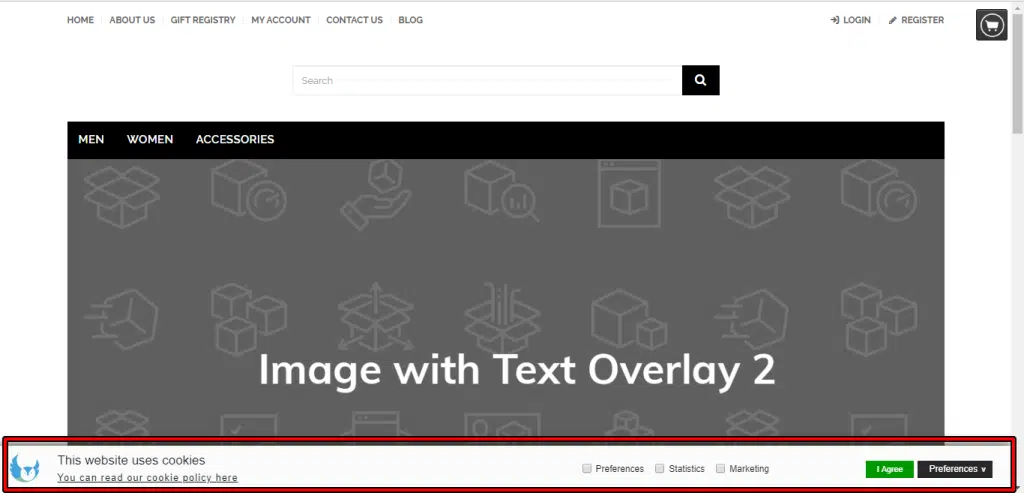
Next window will open
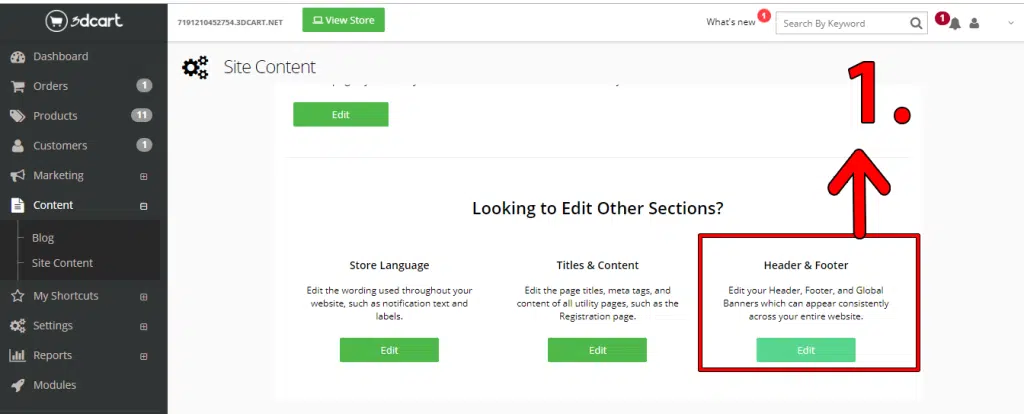
Click Edit under Header & Footer section.
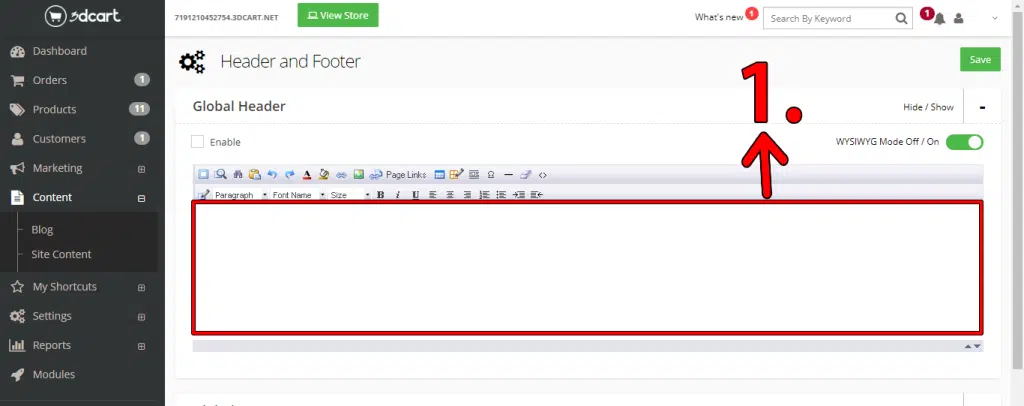
Next window will open.
1. Paste script you got from Seers in dialogue box under Global Header section.
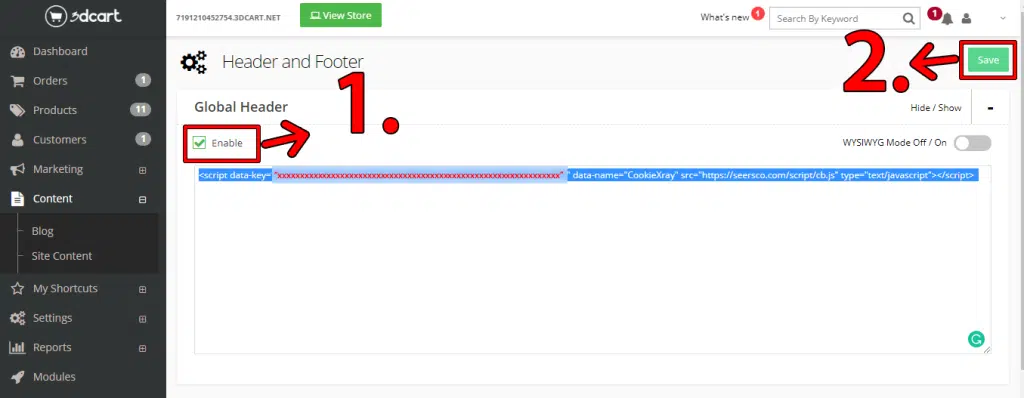
< script data- key=“XXXXXXXXXXXX-XXXXXXXXXXXXXXXXXXXXXXXX-XXXXXXXXXXXXXXXXXXXXXXX” data-name="CookieXray" src="https://seersco.com/script/cb.js" type="text/javascript">
After pasting script
1. Click the "Enable" button.
2. Click the "Save" button.